
Yahoo Mail Really Sucks
Sometimes it's hard to tell the bugs from the business plan

When we moved to Wichita in 1999, we got cable TV from the local monopoly, and they offered internet service, including email. I registered as thull@kscable.com (no longer a valid address, at least not for me, so let the spambots feast on that). A couple years later, Cox bought up the local cable company, and gave me a new cox.com address (not the same user name, but close). I’ve had that address for about 25 years. Everyone who knows me knows that address. That includes most of my accounts everywhere, and everyone who sends me junk mail.
I build my own computers from components, and load them up with Xubuntu Linux and lots of free software. I may have a few drivers that aren’t properly open sourced, but nothing I pay (or have paid) for. I edit my files like a real 1980s vintage programmer, with emacs. I use make for automation, and write shell scripts (mostly in awk, although I should learn python one of these days). My web pages are hand-coded PHP, and I’ve never gotten the hang of JavaScript (something else I should learn that I’ve never quite seen the need for — that’s why people keep commenting about the “antique” look of my websites). On the rare occasions when I have to do something Office-y, I use LibreOffice. When I have to fiddle with images — which I do very sparingly — I use gimp. When I want to play something I’ve downloaded, I use vlc, which is also useful for watching DVDs (something I rarely do).
I have the window manager set up for six workspaces, so I have separate spaces for working on various projects (three are for websites I work on regularly). My browser is Firefox. I’m currently running eight windows in those three workspaces, and each has a dozen or more open tabs. So basically, what I do all day is look things up in the browser, and write things down in my editor. I’ve been doing that, with those same tools, for more than 25 years now. Some things could be improved, but it’s my workflow, and I’m pretty productive with it.
There are more tools I’d like to figure out. It would be nice to have a CAD program. And a video editor. And R for statistics. And some AI tools. I wonder if AI, if I took a picture of a bookcase, could give me an ordered list of all the books there? And while I sympathize with the usual objections to AI-produced art slop, I’m handicapped by not having artwork for my web pages. I’ve done some database work with MYSQL, but I could see making much more use of it if I had a way of getting data in and out other than hand-coded SQL. There could be synergy here: for instance, I could use AI to write python programs to move data in and out of databases.
Then there is email. I use Thunderbird as my mailer, or at least have until last week, when it broke. I keep two email windows opened in different workspaces, because sometimes I want to check something out without disturbing where I was. The mailer is set up to use the POP protocol to fetch mail. (POP downloads the mail to my mailer; an alternative, IMAP, leaves the mail on the server, so the mailer has to constantly coordinate with the server.) I have, well, tons of email archived in my mailer: basically, everything I’ve sent, and everything I have received, except for stuff that I quickly trashed, for many years (since 2018; I have some older mail in an archive under a different mailer, back to 2011 or so; earlier email is unfortunately lost).
Back in 2024, Cox decided to dump their email business — which, frankly, they were doing a lousy job of supporting — so they sold their accounts off to Yahoo, which treated them as “free” accounts (although I haven’t been plagued by the ads that they promise to save me from if I sign up for their paid “pro” tier, so maybe their Cox deal puts me in a slightly different tier). Yahoo allowed me to keep my cox.com address. After jumping through some hoops, I got Thunderbird to work with their POP and SMTP servers (the latter is used for sending email), after which I was back to normal. I also set up my phone to use Yahoo, using Android’s (not Yahoo’s) email app, and the IMAP and SMTP servers. (IMAP made sense for the phone, because I almost never use it for email. I mostly use it to send myself photographs, although there are probably better ways to do that sort of thing.)
Of course, what Yahoo wants is for me to use their webmail app, but, well, see the title above. The main thing I’ve used it for has been to check the Spam directory, which regularly catches email I want to see (while letting through crap I don’t want). However, since the POP server broke on Tuesday, I’m having to use it regularly, and, well, it really does suck. I’m not going to try to catalog all of the ways it sucks, but let me make a couple of general points:
It is very slow. Recall my complaint about IMAP: that every time you interact with a piece of mail, it has to coordinate with the server. Same thing here, only the protocol is an order of magnitude slower.
My view of the mail is messed up. Some of this is me reacting to it being different, but there are other things, like separating the email into arbitrary categories (like “primary”). The handling of threaded messages is especially baffling.
While in theory I can keep my sent mail and an archive of saved messages, they are on the server, not on my local machine (where I have many archives organized, and lots of messages filed away). I see no way to download the archives, let alone merge them into my own mailer. Saving mail in Yahoo uses up limited disk space, so I wind up deleting things that I would normally archive.
The mail write tool is also weirdly formatted, with limited tools, and super slow. Moreover, the sent mail is kept on the server, not in my mailer.
There are another dozen-plus minor annoyances, like it’s always asking me to “add application” so it can handle “mailto” links. Also, when I open mail, I often see a boxed off piece that is not mail, but “Summarized by Yahoo Scout,” some kind of AI reader that mostly adds confusion. The net effect of all these issues is that it takes me 3-4 times as long to go through my mail with Yahoo as it takes in Thunderbird, and I have much less to show for it. (The only thing I like so far is that it’s easier to delete an email without opening it.)
Some of this is due to the web interface technology, which does some things well, others poorly, and many not at all. But much is because Yahoo! Mail is what I call a “greedy app”: it tries to keep you prisoner within its own single interface. (Facebook is probably the mother of all greedy apps, although the idea goes back at least to AOL in the pre-web 1990s. One reason I do so little with phone apps is that nearly all of them try to own you.) Long ago I learned that “power corrupts, and absolute power corrupts absolutely.” That one maxim will unlock a lot of mystery in the world.
But I’m not using Yahoo! Mail because I want to. I’m using it because Yahoo owns my email account, and their POP servers won’t let me access my email. I’ve gotten the same error message every 10 minutes or so every day since last Tuesday:
RETR command did not succeed. Error retrieving a message. Mail server responded: Server error - Please try again later.
The POP protocol is initiated by a client program (in my case Thunderbird), and responded to by a server (in this case, pop.mail.yahoo.com). The RETR command is sent by my client after other commands have established a connection including password login, and several other commands which identify which messages are new and need to be downloaded. RETR says give me the messages. Servers have timeouts, in case something hangs up, and when this happens the error message you see above is returned. Normally, this is a temporary problem, and the transfer will work next time, or sometime soon. If this error message recurs, as it has persistently for nearly a week now, something else is broken on the server side. Someone needs to take a look at the logs on the server, identify this problem, and fix it.
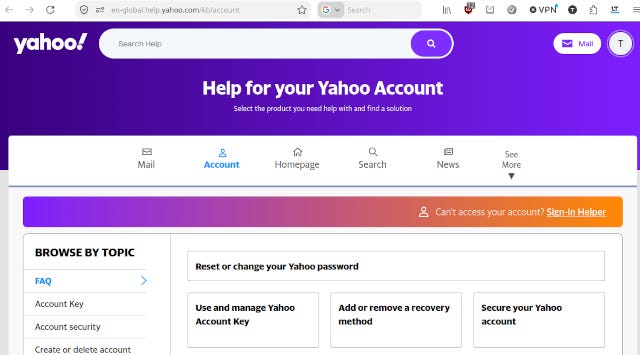
My problem is that I can’t find anyone at Yahoo to communicate this problem to. I’m not asking for hand-holding to help set up or recover an account. I’m asking them to fix their own server. But they’ve made this so difficult that I’m still stuck after 10-12 hours of scouring their website, chatting up their AI robot, and slogging through external resources. Even when I managed to corner their chatbot into offering to connect to a human agent (three times), only to find that no such person is available.
The only option I see with Yahoo is to sign up for a paid tier. But I can’t even find a salesperson to reassure me that doing so would help. The extra features offered are pretty close to worthless, but they’re promising “access to our customer support team for general Yahoo account support.” It’s not yet clear whether their “team” includes humans, or whether “general” account support includes troubleshooting their faulty servers. Before moving to Yahoo, I spent many hours on the phone with Cox agents who couldn’t escalate issues to their server team. I only got help from the latter when I complained about them on Twitter, and got a message back with the magic email address.
I expect to spend much of the next week figuring out what to do about this. I will probably wind up switching to a new email address. I could shop around for another service, or I could just use my own server. I need to factor in the need for email service during the jazz critics poll, which has always been difficult. I need to get a better handle on my Thunderbird setup. I also must admit that I’ve never been very good at managing email services, so I’m likely to face a steep learning curve there. I know a few things, but I’ve never managed to get such basic things as local network mail delivery working properly.
I’ve been reading books about the wonderful/horrible future AI promises. But while I don’t doubt that bad people can use AI for bad purposes, the far more likely scenario is that greedy corporations will use it to frustrate and stifle customers who will increasingly find themselves with no other options. Cory Doctorow’s recent books, Enshittification and The Reverse Centaur’s Guide to Life After AI, are useful guides to a trend that’s becoming ever more extensive.
On the other hand, my carefully phrased questions to Google, and my interrogations of other chatbots, have saved me considerable time in diagnosing problems and figuring out solutions to some highly technical configuration problems. In many ways, AI is better at that sort of thing than people are. So I may be able to find the help to figure a way out of my present email hell. But the bitter taste of trying to deal with Yahoo isn’t going away any time soon. This makes me wonder about setting up a website where people can list the companies they’ve decided to never do business with again. We could call it Burnt Bridges.
It used to be that the one arena in everyday life where one could expect to be treated with respect was when one presented as a customer. That’s changing now, rather quickly. AI is accelerating this, but it really the corporate owners and managers who are driving it. The last 40-50 years have seen an extraordinary concentration of power into their hands, and the more power they have, the more manifest their indifference and callousness becomes.